Convert PDF files to text with a simple right-click. Integrates seamlessly with Windows Explorer for accurate OCR conversion.
Perfect for AI workflows: Extract clean text from PDFs for use with ChatGPT, Claude, and other LLMs that work better with plain text than PDF uploads.
🖱️ Right-Click Integration
Right-click any PDF file in Windows Explorer and select "PDF to TXT" to convert instantly.
📄 OCR Support
Handles both text-based and scanned PDFs with advanced OCR technology.
⚡ Multi-File Processing
Select multiple PDFs and convert them all at once with parallel processing.
🔧 Flexible Output
Convert files in-place or specify a custom output directory. Includes retry logic and detailed logging.
See It In Action
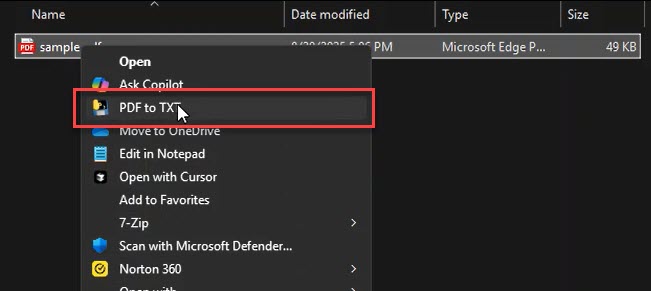
Right-Click Integration
Simply right-click any PDF file in Windows Explorer to see the "PDF to TXT" option in your context menu.
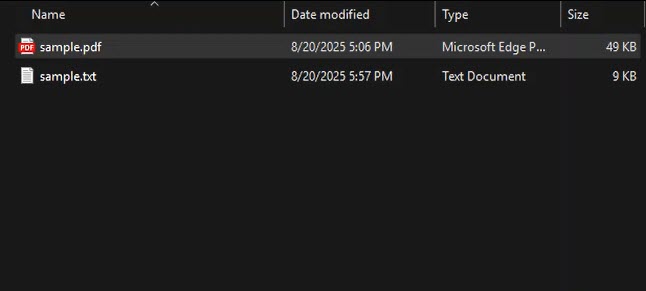
Clean Text Output
Get accurately converted text files with proper formatting, ready for editing or processing.